About Smart Spaces
Turn More Nursery Enquiries Into Confident, Workable Bookings
Smart Spaces brings future bookings, room moves, real-life planning evidence and daily capacity into one clear weekly answer. It helps busy teams look for safe ways to say “yes” without hiding the bottlenecks that still need action.
AM & PM session checks
Each weekday can be requested as a morning, afternoon or full day so availability is checked at the level nurseries actually manage.
Dated room journey
The child’s date of birth produces a room-by-room timeline from the proposed start through each expected age transition.
Specific capacity constraints
Answers identify the room, weekday, session, date range, registered capacity and exact number of places over.
Practical, evidenced options
Smart Spaces keeps the raw number visible while highlighting unconfirmed bookings and follow-ups that could make a request workable.
Manual Famly data updates
Nurseries can upload a current Bookings CSV, see its age, and keep using the last accepted snapshot if a newer file fails validation.
Reviewed real-life evidence
Sickness, family holidays, baby booking reduction, session reduction, unexpected turnover and early school leavers have reviewed research and can each be switched on or off. Results also compare the RAG with no factors and all available factors. Other factors stay Coming Soon until evidence is reviewed.
Current Product
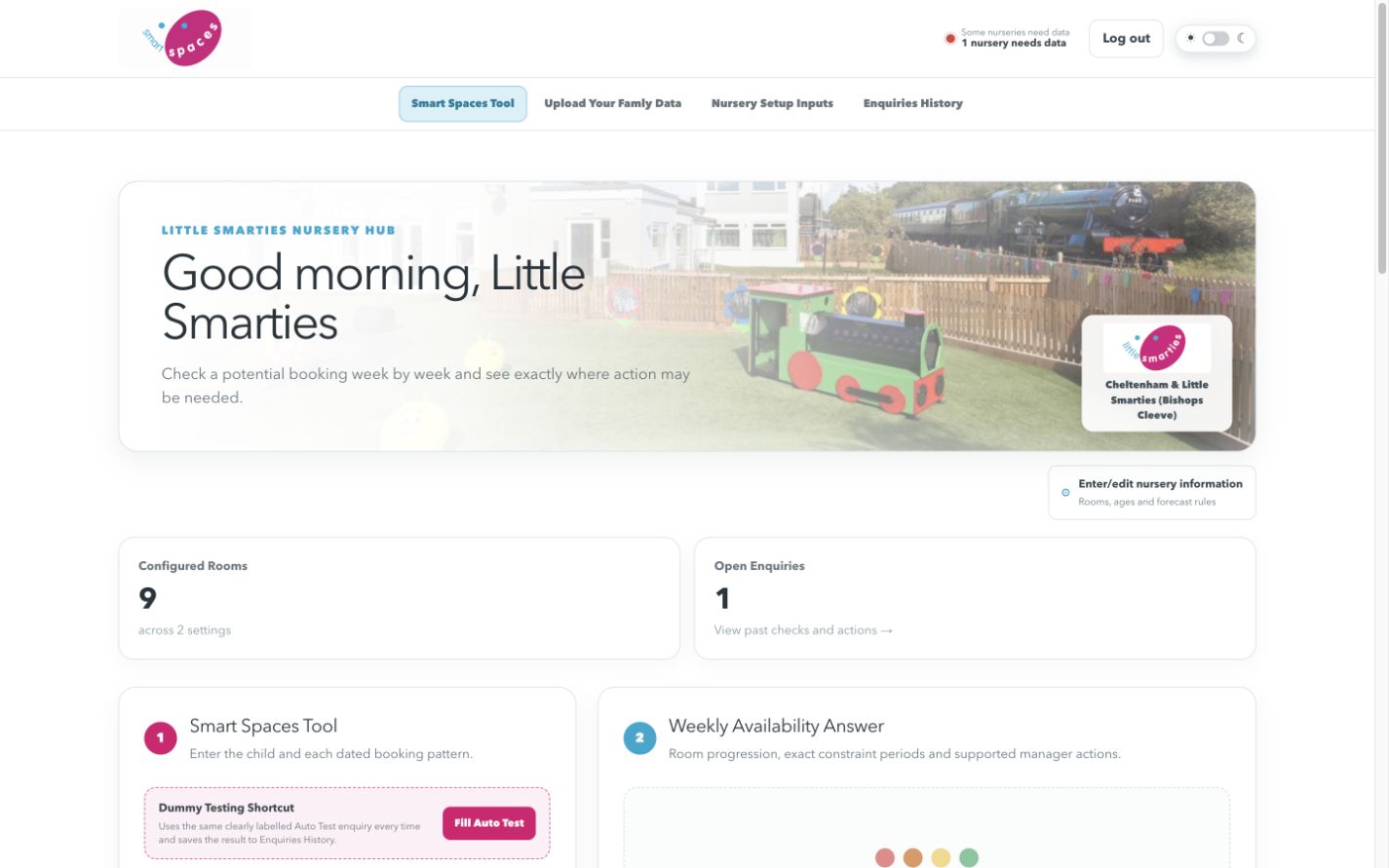
A Simple Workflow Staff Can Recognise Quickly
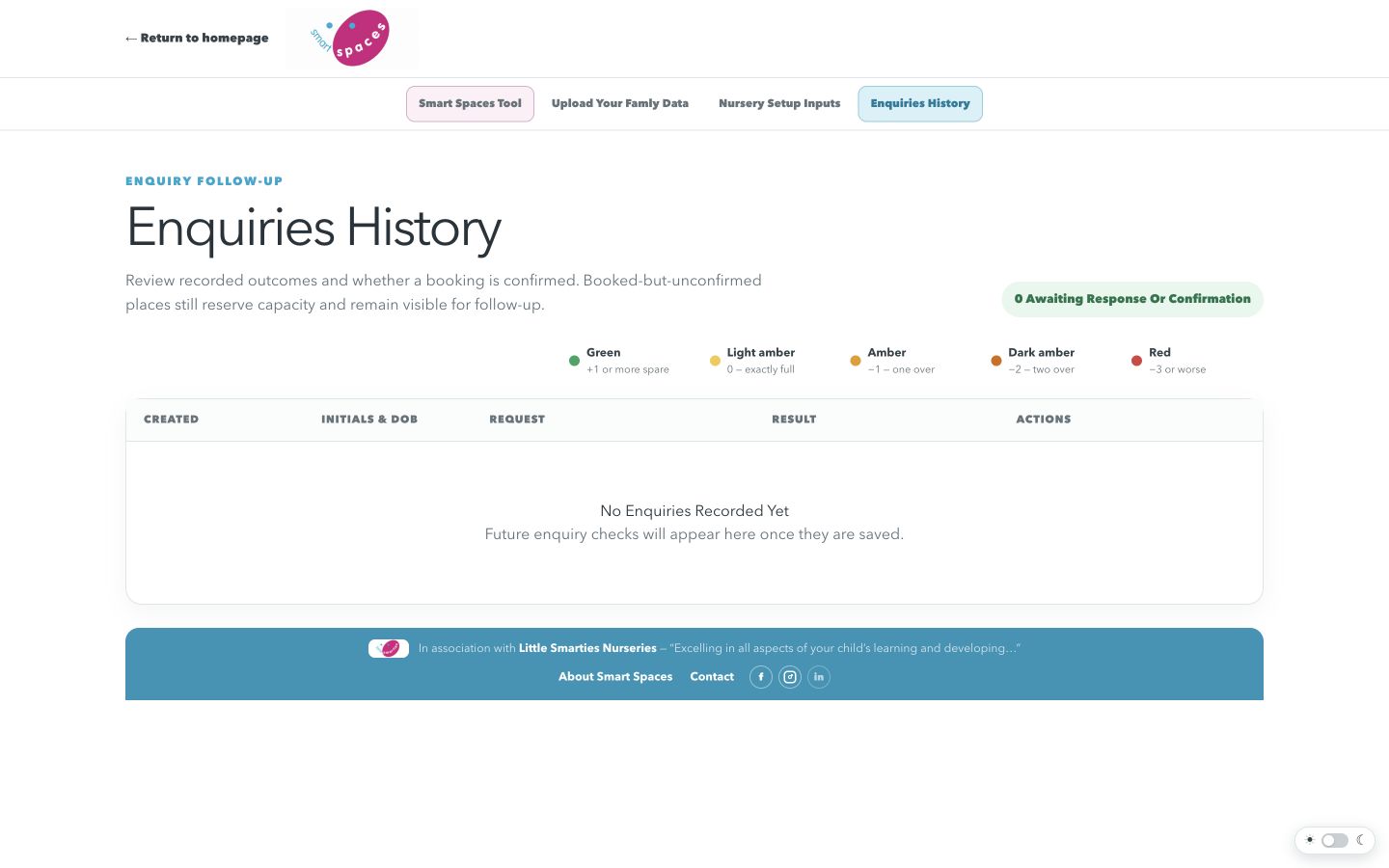
These screenshots are refreshed from the current release as the interface develops.
How To Use It
From Question To Next Step
- Keep the nursery's Famly data current using Upload Your Famly Data.
- Enter the child, preferred start and each dated AM/PM pattern.
- Select the real-life factors to include, then review the raw and adjusted weekly numbers.
- Confirm the actions shown before promising a place to a family.
What The Information Means
Decision Support, Not An Automatic Promise
Smart Spaces combines dated occupancy, later bookings recorded in the tool, room ages and selected anonymous planning evidence. Staff still make the final decision and must confirm unconfirmed places or room moves.
The People Behind Smart Spaces
Nursery Experience And Practical Development
Gerard Gray
Owner, Little Smarties Nursery Chain · Co-Owner, Smart SpacesGerard brings day-to-day nursery leadership and the real operational questions Smart Spaces is designed to answer.
Contact Smart Spaces →Bradley James
Developer · Co-Owner, Smart SpacesBradley develops and validates the service closely with Gerard and Little Smarties, with a focus on clear, useful decisions for nursery teams.
Contact Smart Spaces →Planned Updates
Planned Future Updates
Frequently Asked Questions
Simple Answers Before You Start
Can I try Smart Spaces without using a real nursery account?
Yes. Use the clearly labelled demonstration login with username dummy and password dummy. It contains one fictional three-room nursery with a stable occupancy pattern modelled on Bishops Cleeve, with small variations. New coverage is added automatically; replacements do not change existing demo dates. Results use the real forecast calculation and reviewed factors, without a colour cycle. Famly uploads are blocked, enquiry edits reset on reload, and nothing contributes to live nursery or value totals.
What external software does the nursery need?
Famly is the only external nursery system currently needed. Download the Famly Occupancy Bookings CSV and upload it in Smart Spaces; no paid API connection is required for the current process.
What information does Smart Spaces need?
The upload needs dated booking rows, Start and End times, the nursery or site, the room, age information and a stable anonymous child reference while the file is being checked. Room capacities, age ranges, postcode and the main nursery email are saved separately in Nursery Setup Inputs.
Does it need parent or child personal data?
No personal data is needed from the Famly export. Names, emails, telephone numbers, addresses and Famly child identifiers are discarded; only anonymous occupancy totals and age distributions by date, room and AM/PM session are stored. When checking a new enquiry, the nursery can use initials or a temporary label. Smart Spaces retains only initials in Enquiries History so the nursery can recognise and follow up the enquiry.
Who develops and checks the service?
Smart Spaces is developed by Bradley James, working closely with Gerard and the Little Smarties nursery chain. Bradley does not routinely see personal nursery data and holds an Enhanced DBS check including a Children's Barred List check—the same level used for nursery workers.
What happens if I upload the same dates again?
The newest validated upload becomes the correct version for overlapping dates. If its relevant contents are identical, Smart Spaces leaves the existing data unchanged and tells you.
How do I know whether the data is current?
The dashboard and Upload Your Famly Data page show the age of the latest accepted upload and the final week covered. Files that would leave a missing week are stopped before saving.
Does a green result guarantee a place?
No. Smart Spaces is decision support. It shows the raw position, selected evidence and possible adjustments, but nursery staff must still confirm room moves, unconfirmed bookings and the final offer.
Nursery Feedback
Real Testimonials Will Appear Here
No testimonial has been invented. This section will be updated only when a nursery has approved its words for publication.